

GST Registration & Basics
How to Check GST Number Online: Verify GSTIN DetailsHow to Check GST Number Online: Verify GSTIN Details
Written by Hatim Dudhiyawala

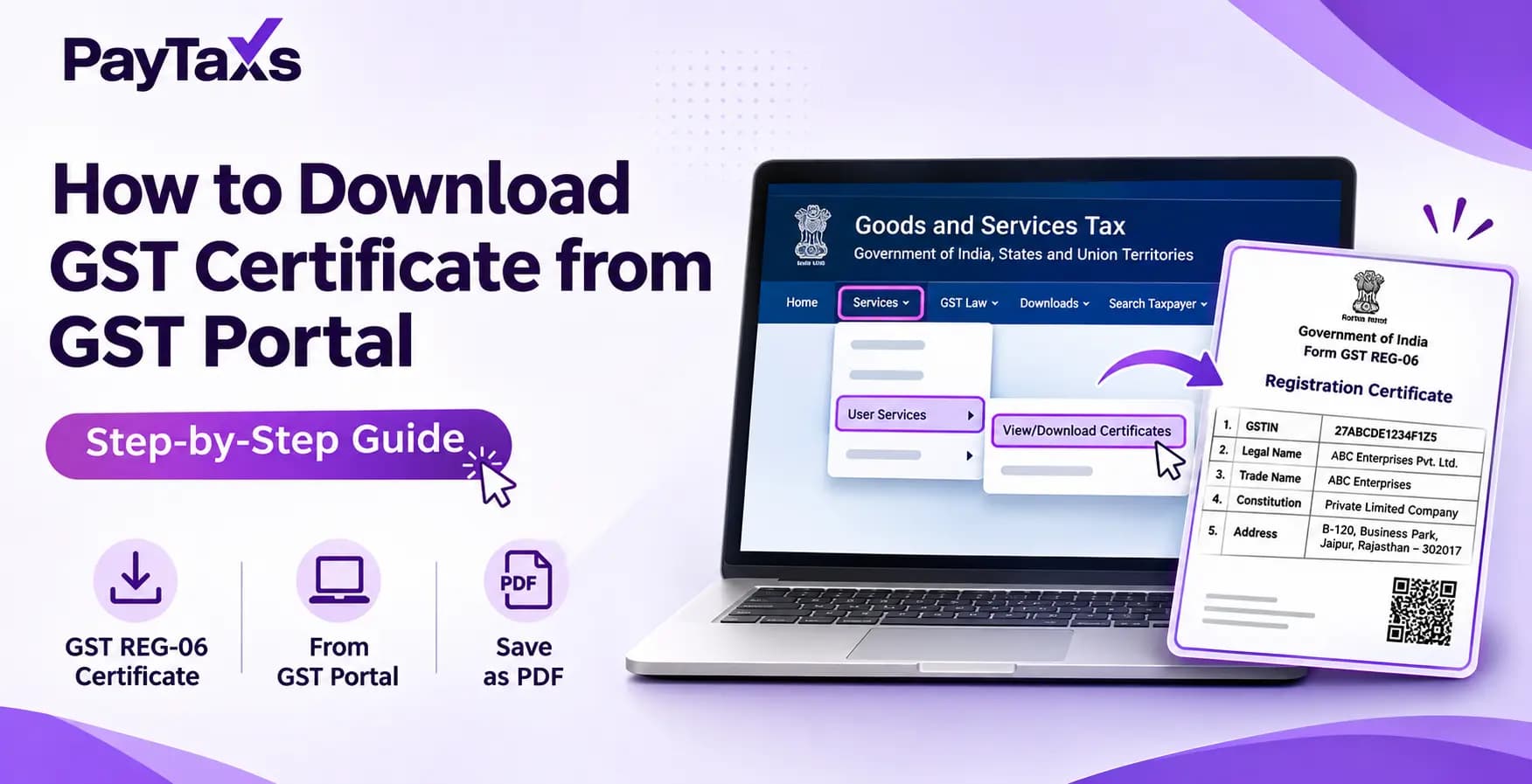
Have you received your GST registration approval but cannot find your certificate? How to Download GST Certificate from GST Portal is one of the first things you should learn after getting your GST registration approved. The certificate is available electronically on the official GST Portal, so you can access it, download the PDF and keep a copy for your business records without visiting a GST office.
Your GST registration certificate is an important document that proves your business is registered under the Goods and Services Tax system. It contains details such as your GSTIN, legal business name, trade name and principal place of business.
Whether you need the certificate for a bank account, business verification, supplier documentation or your own records, this guide explains the complete process with screenshots.
A GST Registration Certificate is an official document issued by the tax authorities after a taxpayer's GST registration application is approved. It is issued in Form GST REG-06 under the GST registration rules. The certificate is made available electronically through the GST Common Portal.
It generally contains the following details:
The certificate acts as proof of GST registration. You can download and print it whenever you need a physical copy.
Before starting, keep your GST Portal username and password ready. Follow these six steps to access your registration certificate.
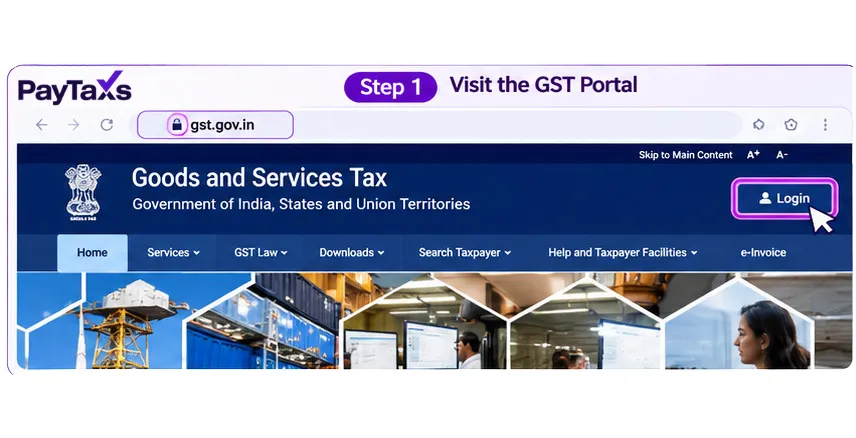
First, visit the official GST website: https://www.gst.gov.in/
Once the homepage opens, locate the Login option in the top-right corner of the screen. Click on Login to proceed to the taxpayer login page. Always check the website address before entering your details. Use the official government portal rather than an unknown website or third-party link.
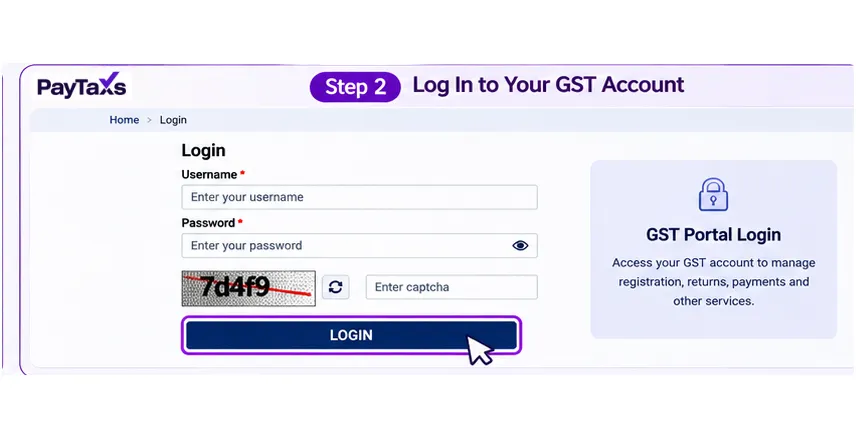
After clicking Login, the portal will display the taxpayer login page.
Enter the following details:
After entering all the details, click the LOGIN button. If your credentials are correct, you will be redirected to your GST taxpayer dashboard. Keep your login credentials private. Never share your password or OTP with another person.
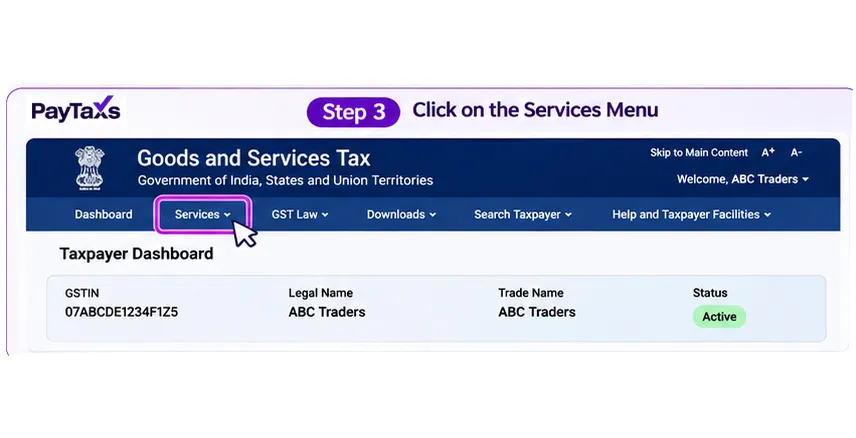
After logging in successfully, you will reach your GST taxpayer dashboard. Look at the navigation bar displayed at the top of the page. Find the Services option and click on it. The Services menu provides access to different GST facilities, including registration, returns, payments and other taxpayer services.
To continue, you need to open the User Services section.
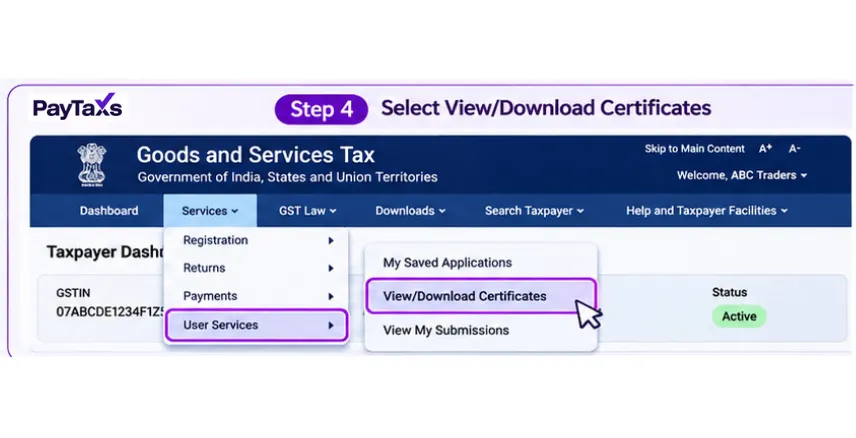
After clicking Services, move your cursor to User Services in the dropdown menu. You will see different options under this section. Select View/Download Certificates. This option allows registered taxpayers to access certificates issued by the GST tax authorities.
Once you select it, the portal will open a page displaying the certificates available for your GST account.
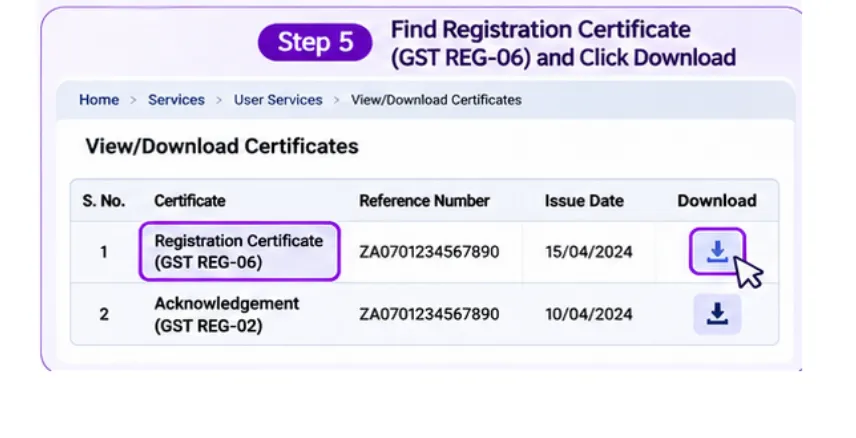
On the View/Download Certificates page, you will find a list of certificates issued for your GST registration. Look for Registration Certificate (GST REG-06) in the Certificate column.
Follow these instructions:
The latest issued certificate generally appears first. If you have amended your registration details, an updated registration certificate may also be available on this page.
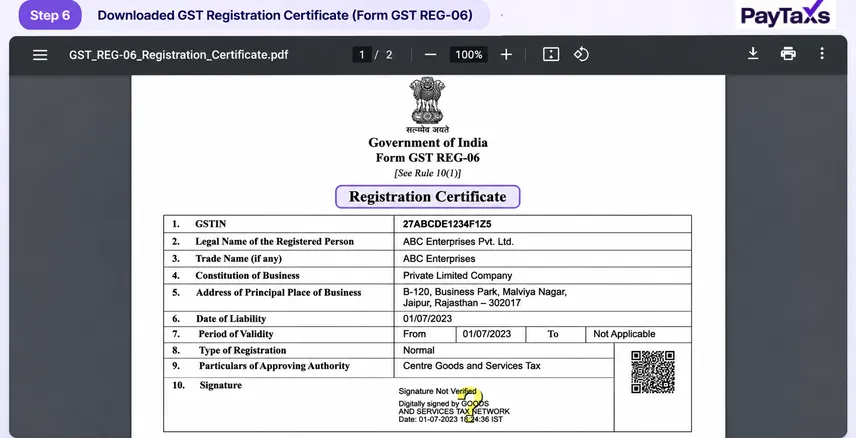
After clicking the download icon, your registration certificate will be downloaded in PDF format. Open the downloaded PDF to view your GST REG-06 certificate.
Save a copy on your computer or mobile phone so that you can access it whenever required. You can also print the document if you need a physical copy.
Before using the certificate, check these details:
If you notice an incorrect or outdated detail, check whether an amendment is required through the GST Portal. You have now completed How to Download GST Certificate from GST Portal and can keep the PDF for future reference.
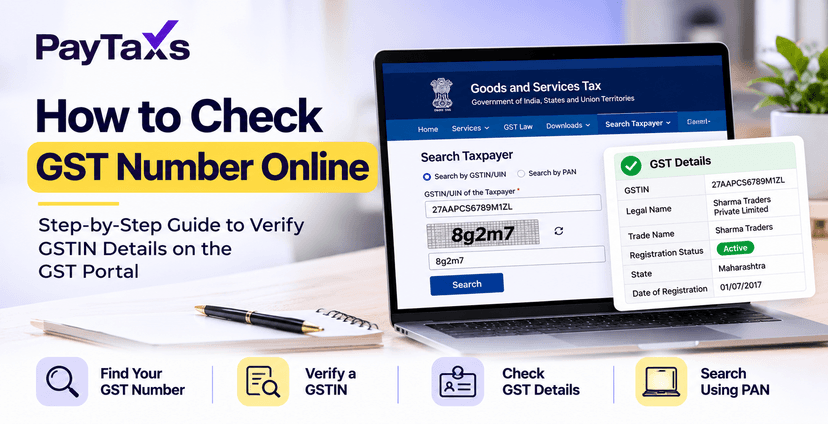
No, you cannot download your own GST registration certificate PDF through the public Search Taxpayer facility without accessing the registered GST account. However, the GST Portal provides a public Search Taxpayer option that allows users to check certain registration details without logging in.
If you are searching for download gst certificate without login, it is important to understand the difference between checking taxpayer details and accessing the actual certificate.
Follow these steps:
The portal displays available taxpayer information, which may include:
This facility is useful when you want to verify another business's GST registration information. However, the public search facility does not provide the registered taxpayer's certificate PDF. You need to log in to your own GST account to access it.
Sometimes, taxpayers cannot find their certificate after registration approval or face problems while downloading the PDF. Here are some common issues and the steps you can take to resolve them.
If your GST registration application has recently been approved, the certificate may not appear immediately. The GST Portal's known-issues guidance states that the registration certificate is updated on the portal within 24 hours after approval. Check the portal again after some time. If the certificate is still unavailable, review your application status and confirm whether the approval order has been issued.
If you cannot find your certificate under View/Download Certificates, try these steps:
You should also confirm that your registration application has been approved.
If you click the download icon but the PDF does not open:
You can also check whether your browser's built-in PDF viewer is working correctly.
If you have changed your business address, trade name, or other registration particulars, your existing certificate may not reflect the latest information. You may need to submit an amendment application through the GST Portal, depending on the nature of the change.
Once the amendment is processed and the updated certificate is generated, check the View/Download Certificates section again.
If you have made changes to your GST registration details, you may need an updated certificate reflecting the approved changes.
Follow these steps:
The updated certificate should reflect the changes approved by the tax authorities. Check the issue date and business information before using it. If you need assistance understanding registration-related requirements, read our guide on GST registration fees.
Yes, under the GST registration provisions, every registered person is required to display their GST registration certificate prominently at their principal place of business and at every additional place of business. The GSTIN must also be displayed on the name board at the entry of the principal place of business and every additional place of business.
Therefore, after completing a GST certificate download, make sure you display the certificate at the required business locations.
Your GST registration certificate is an important business document, and you should keep a digital copy for future use. The portal makes it possible to access the certificate without visiting a GST office. If you need to understand how to download gst registration certificate, remember the navigation path:
Services → User Services → View/Download Certificates
Select Form GST REG-06, download the PDF and verify your business details before using it. For help with registration, amendments or ongoing compliance, explore Paytaxs GST services.
You can also learn how to check a GST number before dealing with a supplier or another business.
Note: This guide is for information purposes only. The views expressed in this guide are personal and do not constitute the views of Paytaxs. Paytaxs or the author will not be responsible for any direct or indirect loss incurred by the reader for taking any decision based on the information or the contents. It is advisable to consult either a CA, CS, CPA or a professional tax expert from the Paytaxs team, as they are familiar with the current regulations and help you make accurate decisions and maintain accuracy throughout the whole process.
Shubham Jain is the Founder of SaveTaxs and has extensive experience in Indian and NRI taxation. He advises individuals, NRIs, and businesses on tax filing, tax planning, capital gains, DTAA benefits, fund repatriation, and compliance matters. He regularly writes about taxation and related financial topics. His focus is on making complex tax concepts easy to understand. Through his articles, he helps taxpayers stay informed, avoid common mistakes, and stay compliant with Indian tax laws. See Full Bio
Want to read more? Explore Blogs