


GST Return Filing
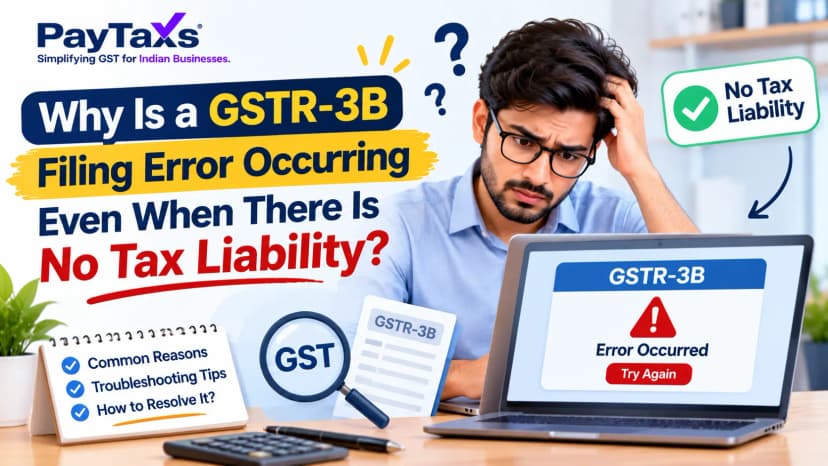
Why Is a GSTR-3B Filing Error Occurring Even When There Is No Tax Liability?Why Is a GSTR-3B Filing Error Occurring Even When There Is No Tax Liability?
Written by Hatim Dudhiyawala

Filing GST returns is an important compliance responsibility for registered businesses in India. It helps businesses report sales, purchases, applicable tax liability and eligible Input Tax Credit (ITC) to the tax authorities.
If you want to understand how to file GST return online, the first step is to identify the return applicable to your GST registration and filing frequency. Most regular taxpayers deal with GSTR-1 and GSTR-3B, while taxpayers under other schemes may have different requirements.
You can file applicable returns through the official GST Portal. This guide explains the process, documents required, and common mistakes to avoid.
Before starting the GST return filing process, keep the following information ready:
Reconcile your books of accounts with invoices and relevant GST Portal data before filing. This helps identify discrepancies early and reduces the risk of reporting incorrect figures.
Follow these steps to understand how to file GST return online through the official GST Portal.
Visit www.gst.gov.in and log in using your GST Portal credentials.
Navigate to Services → Returns → Returns Dashboard. Select the relevant financial year, quarter or month, depending on your filing frequency, and click Search.
The dashboard displays the applicable return forms and their filing status.
GSTR-1 reports details of outward supplies, including applicable sales invoices, credit notes, debit notes and other prescribed transaction details.
To prepare GSTR-1:
After successful filing, the portal generates an Application Reference Number (ARN).
Refer to the official GSTR-1 filing manual for detailed instructions.
Before preparing GSTR-3B, reconcile your purchase records with the relevant information available in GSTR-2B and your books of accounts. Check the eligible ITC, applicable restrictions, reverse-charge liabilities and other adjustments relevant to your business. Do not claim ITC solely because an invoice appears in your records. Confirm that the claim satisfies the applicable GST requirements.
For interstate supplies, IGST generally applies, while intrastate supplies generally attract CGST and SGST, subject to the applicable rules and exceptions.
GSTR-3B is a summary return used by applicable taxpayers to report supplies, tax liability, eligible ITC and other prescribed details.
To complete the filing:
Download the filed return and save the acknowledgement and payment records for your business files. For further instructions, consult the official GST Portal return-filing resources.
Important: GSTR-1 and GSTR-3B are separate filings. Filing one does not automatically complete the other. Applicable filing requirements depend on your taxpayer category and the relevant rules.
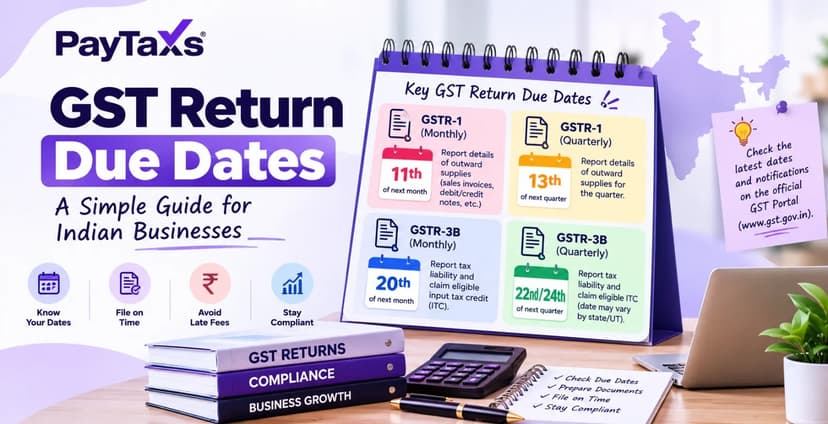
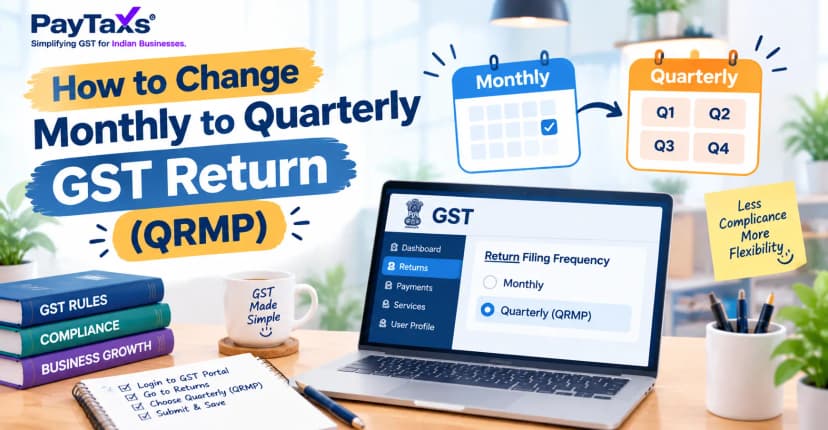
GST return due dates depend on the return form, taxpayer category, monthly or quarterly filing option, and any applicable government extensions. For many regular taxpayers, GSTR-1 and GSTR-3B have different due dates. Eligible taxpayers using the QRMP scheme may follow quarterly filing requirements, with applicable monthly tax-payment obligations. Always check the due date displayed on the GST Portal and the latest official notifications applicable to your business. Do not rely solely on an old calendar or a general online article.
Missing a deadline may result in applicable late fees, interest, or other consequences, depending on the circumstances.
Even small reporting errors can create reconciliation problems or require corrections later. Keep these points in mind:
Following these checks makes the GST return filing online process more reliable and helps businesses maintain accurate compliance records.
A Nil return may be required when a taxpayer has no reportable activity or tax liability for a period, provided the conditions for the relevant return are satisfied. However, having no sales does not automatically mean you can skip filing. Purchases, auto-populated data, outstanding liabilities and other circumstances may affect whether a Nil return is permitted.
Check the requirements for the specific return before filing. You can refer to the official GST Portal guidance for Nil GSTR-3B filing.
Managing invoices, reconciling ITC, checking tax liability and meeting filing deadlines can take time, especially for small businesses and growing startups. Paytaxs helps businesses with GST-related compliance support so they can better manage their filing responsibilities and maintain organised records. If you need assistance with GST return preparation, filing or compliance, explore our GST service page to learn more.
You can also read our GST return filing guide for additional practical guidance and visit our GST glossary to understand common GST terms.
Before completing a return, make sure you have:
Understanding how to file a GST return online can help you organise your compliance work and reduce avoidable mistakes. For complicated transactions, ITC discrepancies or unresolved notices, consider seeking qualified GST assistance before submitting your return.
Disclaimer: This article is for general educational purposes and is not a substitute for professional tax advice. GST requirements can vary according to taxpayer category and transaction details. Check the latest GST Portal instructions and applicable notifications before filing.
Note: This guide is for information purposes only. The views expressed in this guide are personal and do not constitute the views of Paytaxs. Paytaxs or the author will not be responsible for any direct or indirect loss incurred by the reader for taking any decision based on the information or the contents. It is advisable to consult either a CA, CS, CPA or a professional tax expert from the Paytaxs team, as they are familiar with the current regulations and help you make accurate decisions and maintain accuracy throughout the whole process.
Shubham Jain is the Founder of SaveTaxs and has extensive experience in Indian and NRI taxation. He advises individuals, NRIs, and businesses on tax filing, tax planning, capital gains, DTAA benefits, fund repatriation, and compliance matters. He regularly writes about taxation and related financial topics. His focus is on making complex tax concepts easy to understand. Through his articles, he helps taxpayers stay informed, avoid common mistakes, and stay compliant with Indian tax laws. See Full Bio
Want to read more? Explore Blogs