



GST Return Filing
Why Is a GSTR-3B Filing Error Occurring Even When There Is No Tax Liability?Why Is a GSTR-3B Filing Error Occurring Even When There Is No Tax Liability?
Written by Hatim Dudhiyawala
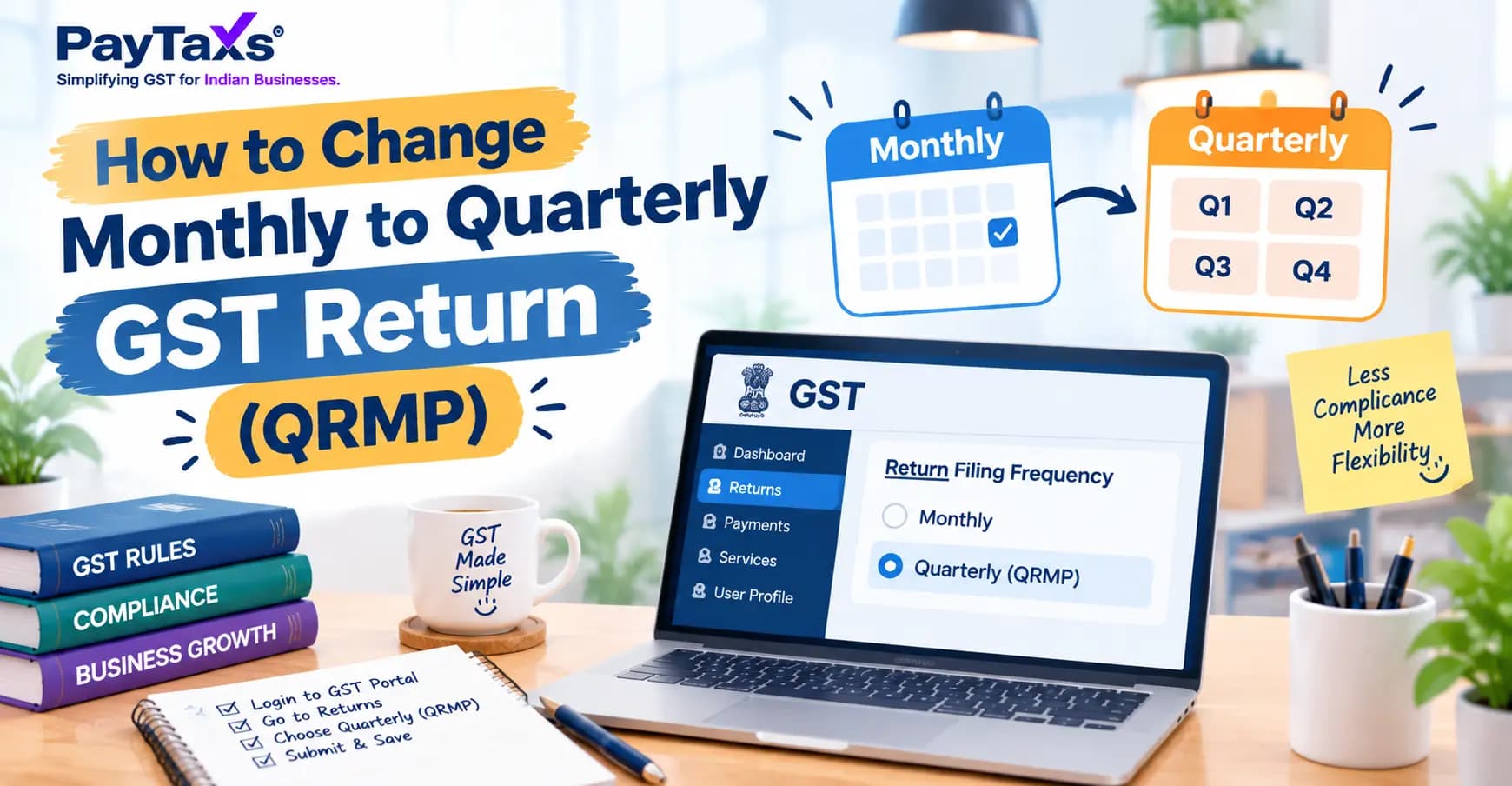
If your turnover is up to ₹5 crore, you can switch from monthly to quarterly return filing by opting in to the QRMP scheme on the GST portal. Log in, go to Services > Returns > Opt-in for Quarterly Return, choose Quarterly for the quarter you want, and save. You have to do it inside the opt-in window for that quarter. This guide explains who can switch, when, how, and what changes after you do. It is written so that a business owner or a student can follow it step by step.
|
Question |
Answer |
|
What is the scheme called? |
QRMP, which stands for Quarterly Return with Monthly Payment |
|
Who can opt in? |
Regular taxpayers with aggregate turnover of ₹5 crore or less (checked PAN-wise) |
|
Where do I opt in? |
GST portal > Services > Returns > Opt-in for Quarterly Return |
|
When? |
Inside the opt-in window before the quarter starts |
|
What do I file quarterly? |
GSTR-1 and GSTR-3B |
|
What do I still do monthly? |
Pay tax, using the PMT-06 challan |
|
Can I go back to monthly? |
Yes, using the same option |
QRMP stands for Quarterly Return with Monthly Payment. It is an optional scheme for small taxpayers with an aggregate turnover of ₹5 crore or less. Under the normal system, a regular taxpayer files GSTR-1 (sales) and GSTR-3B (summary and payment) every month. That is 24 returns a year (12 of each). Under QRMP, you file both returns once a quarter, so you file only 8 in a year. But you do not stop paying tax every month. For the first two months of each quarter, you pay through the PMT-06 challan. The tax for the third month is settled when you file the quarterly GSTR-3B.
In simple words: QRMP means fewer returns, not fewer payments.
|
Point |
Monthly filing |
Quarterly filing (QRMP) |
|
GSTR-1 |
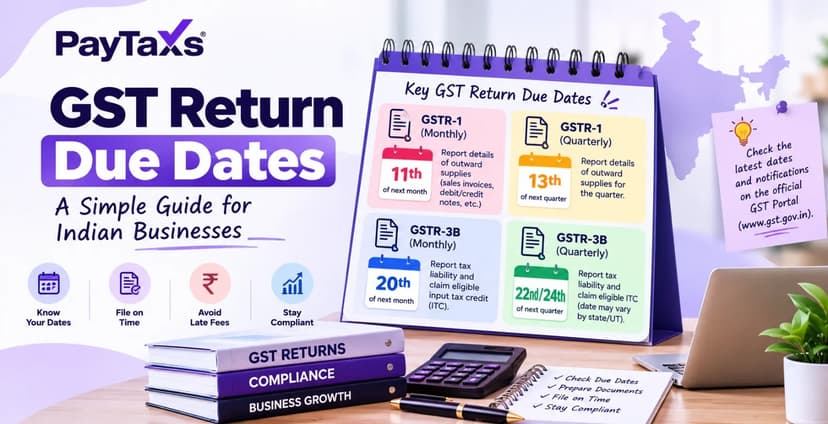
Every month, by the 11th of the next month |
Once a quarter, by the 13th of the month after the quarter |
|
GSTR-3B |
Every month, by the 20th of the next month |
Once a quarter, by the 22nd or 24th of the month after the quarter |
|
Tax payment |
With the monthly GSTR-3B |
Monthly by challan (PMT-06) for the first two months, and the balance with the quarterly return |
|
Who can choose it |
Everyone |
Turnover up to ₹5 crore |
Due dates may change via notification. Always confirm the date shown on your GST portal.
The QRMP scheme (Quarterly Return Filing with Monthly Payment) lets eligible taxpayers file their GST returns every quarter instead of every month. Note that only the return becomes quarterly. Tax must still be paid every month using the PMT-06 challan.
You can opt for it if:
You are a regular taxpayer who files GSTR-1 and GSTR-3B.
Your aggregate turnover in the previous financial year is ₹5 crore or less.
Your registration is active. You can check whether your GSTIN is active online.
The ₹5 crore limit is calculated on your PAN, so the turnover of all GST registrations under the same PAN is added together. However, you must choose this option separately for each GSTIN.
You cannot opt for it if:
Your aggregate turnover exceeds ₹5 crore. The portal then allows monthly filing only.
You are a composition taxpayer. Composition taxpayers follow their own quarterly system (CMP-08 and GSTR-4) and are outside the QRMP scheme.
You are an Input Service Distributor (ISD).
You are a non-resident taxable person.
Your registration is suspended or cancelled.
Conditions the portal checks:
Previous return filed: GSTR-3B for the preceding period must already be filed.
No saved GSTR-1 data: There should be no saved GSTR-1 data for the period for which you want to opt in. If the portal stops you, read the error message. It usually tells you which condition is not met.
You can choose the option during the window the portal opens before the start of each quarter, and the window is shown on the portal when you log in. Once you opt in, it continues automatically every quarter until you opt out yourself or your turnover crosses ₹5 crore.
You cannot change your filing frequency on any day you like. The portal gives a window for each quarter. It opens on the 1st day of the second month of the previous quarter and closes on the last day of the first month of the quarter you are choosing for. For example, to opt in for April to June, you must choose between 1 February and 30 April.
|
Quarter you want |
Opt-in / opt-out window |
|---|---|
|
April to June |
1 February to 30 April |
|
July to September |
1 May to 31 July |
|
October to December |
1 August to 31 October |
|
January to March |
1 November to 31 January |
The same window applies if you want to opt out. You can opt in or opt out for any quarter of the year, as long as you do it within that quarter’s window.
Current window: As of 19 October 2026, the window for the October to December 2026 quarter is open and closes on 31 October 2026.
Missed the window? The choice applies to the whole quarter. Once the window closes, your change will take effect from the next quarter.
Before you start: Make sure your last due GSTR-3B is filed and there is no saved GSTR-1 data for the period. Also check that the opt-in window for your quarter is open.
Go to www.gst.gov.in and log in with your username and password.
Click Services > Returns > Opt-in for Quarterly Return.
Choose the financial year from the dropdown and click Search. The portal shows each quarter with its current filing frequency, either Monthly or Quarterly. Quarters you can change are shown in green with a Save button. Quarters you cannot change are grey. If your turnover is above ₹5 crore, the portal shows only Monthly and does not offer Quarterly.
Select the Quarterly option for the quarter you want.
Click Save, then click OK on the success message.
The page reloads with your new frequency shown and the Save button disabled. You can reopen the same page anytime to check it. Want to go back to monthly? Use the same page and select Monthly for the quarter within that quarter’s window.
Your returns and due dates
|
Return |
What you file |
Due date (general rule) |
|
GSTR-1 |
One return for the quarter |
13th of the month after the quarter |
|
GSTR-3B |
One return for the quarter |
22nd or 24th of the month after the quarter, depending on your state |
The 22nd applies to Chhattisgarh, Madhya Pradesh, Gujarat, Maharashtra, Karnataka, Goa, Kerala, Tamil Nadu, Telangana, Andhra Pradesh, Puducherry, Lakshadweep, Andaman and Nicobar Islands, and Dadra and Nagar Haveli and Daman and Diu. All other states and union territories use the 24th. The government sometimes extends these dates, so watch for notifications.
Only the return becomes quarterly. You still pay tax every month. For the first two months of the quarter, you pay through the PMT-06 challan by the 25th of the next month. The tax for the third month is settled when you file the quarterly GSTR-3B. If you miss a monthly payment, interest can apply.
There are two ways to work out the monthly amount.
The portal generates a pre-filled challan for you.
If you filed quarterly earlier: 35% of the tax you paid in cash in the previous quarter’s GSTR-3B.
If you filed monthly earlier (the case when you first switch): 100% of the tax you paid in cash in the last month of the previous quarter.
Example (illustrative numbers): If you paid ₹1,00,000 in cash in the last quarter, the fixed sum is ₹35,000 for each of the first two months. If you are switching from monthly filing and paid ₹30,000 in cash last month, the fixed sum is ₹30,000 for each of the first two months.
You work out the actual tax for the month from your own sales and purchases, and pay that. This suits businesses whose sales change a lot from month to month.
If you sell to other registered businesses, they need your invoices to claim input tax credit. Under QRMP, your quarterly GSTR-1 reaches them only after the quarter ends. The optional Invoice Furnishing Facility (IFF) lets you upload your business-to-business invoices for the first two months of the quarter, between the 1st and 13th of the next month, up to ₹50 lakh per month. Your buyers can then see these invoices and claim credit earlier.
Under QRMP you file 8 returns a year instead of 24, but you still pay tax every month. Here is how to decide:
|
Quarterly may suit you if |
Monthly may suit you if |
|
Your sales and purchases are fairly steady from month to month |
Your sales and purchases change a lot every month |
|
You sell mostly to consumers |
You sell mostly to registered businesses that want ITC every month |
|
You want fewer return dates to track |
You prefer to file and reconcile every month, so nothing piles up |
|
You have a small accounts team with limited time |
You already have a monthly accounting routine in place |
One thing to remember: quarterly filing does not reduce your tax, and it does not remove monthly payments. It only reduces the number of returns you file. So keep reconciling your GST records every month, even if you file quarterly. A three-month gap can also hide mistakes for longer, such as missed invoices or ITC that does not match your GSTR-2B. So keep reconciling your books every month, even if you file quarterly. Not sure which one fits? Your chartered accountant or GST practitioner can check your sales pattern and buyer mix before you decide.
Log in to the GST portal.
Go to Services > Returns > Opt-in for Quarterly Return.
Select the financial year and click Search.
Select Monthly for the quarter you want and click Save.
The same window rule applies. Your choice covers a whole quarter. If your turnover crosses ₹5 crore, you must file monthly from the next quarter.
Missing the window. Once it closes, your change applies only from the next quarter.
Thinking you can stop paying monthly. Payment through PMT-06 continues.
Forgetting the state-wise date. GSTR-3B is due on the 22nd for some states and the 24th for others.
Counting turnover GSTIN-wise. The ₹5 crore limit looks at the whole PAN.
Ignoring buyers’ ITC. If your customers are businesses, think about the IFF.
Opting in with a pending return. Your last due GSTR-3B must be filed first.
Meena runs a stationery shop in Maharashtra. Her turnover last year was ₹2.4 crore. She files monthly and wants to go quarterly from October 2026.
Her turnover is under ₹5 crore, so she is eligible.
She files her September GSTR-3B first, because the last due return must be filed before she can opt in.
She opts in on the portal before the window closes on 31 October 2026.
For the October to December quarter, she files GSTR-1 by 13 January 2027.
She files GSTR-3B by 22 January 2027. Maharashtra is in the 22nd group.
For October and November, she pays through PMT-06 by 25 November and 25 December. Since she was a monthly filer, the fixed-sum challan is based on the tax she paid in cash in September.
The dates follow the general rules. The government can extend due dates by notification.
The GST Council’s 57th meeting made several recommendations that may affect small taxpayers. They are recommendations, not law yet.
Late fee waiver: for taxpayers with turnover up to ₹5 crore who file a delayed return under section 39(1) within the same month. It does not extend the due date.
A new way to correct liability and ITC in returns, proposed from the April 2027 return.
An optional ARQP scheme (Annual Return Quarterly Payment), approved in principle, for taxpayers with turnover up to ₹5 crore who make only B2C supplies.
Read the full details in our post on the 57th GST Council meeting.
|
Term |
What it means |
|
QRMP |
Quarterly Return with Monthly Payment |
|
GSTR-1 |
The return of your outward supplies (sales) |
|
GSTR-3B |
The summary return where you declare and pay tax |
|
PMT-06 |
The challan used to pay tax monthly under QRMP |
|
IFF |
Invoice Furnishing Facility, to upload business-to-business invoices early |
|
Aggregate turnover |
Total turnover under one PAN across all GST registrations |
|
GSTIN |
Your 15-digit GST registration number |
|
Composition taxpayer |
A small taxpayer under a simpler scheme who cannot use QRMP |
|
ISD |
Input Service Distributor |
|
Fixed-sum method |
Paying a fixed monthly amount: 35% of the last quarter’s cash tax for quarterly filers, or the last month’s cash tax for monthly filers |
|
Self-assessment method |
Paying the actual tax worked out for the month |
Sources: the GST portal’s user manual on changing the profile for the QRMP scheme (tutorial.gst.gov.in), the GST portal (www.gst.gov.in), and Rule 61A of the CGST Rules.
Disclaimer: This post is for information only. Due dates, limits and conditions can change through notifications. Please confirm the current position on the official GST portal or with a qualified professional before you act.
If you need help choosing between monthly and quarterly filing, or with return filing and reconciliation, share your requirement with Paytaxs through our GST services page, and our team will get in touch to understand your situation.
Note: This guide is for information purposes only. The views expressed in this guide are personal and do not constitute the views of Paytaxs. Paytaxs or the author will not be responsible for any direct or indirect loss incurred by the reader for taking any decision based on the information or the contents. It is advisable to consult either a CA, CS, CPA or a professional tax expert from the Paytaxs team, as they are familiar with the current regulations and help you make accurate decisions and maintain accuracy throughout the whole process.
Hatim Dudhiyawala is a Certified Public Accountant (CPA) with SaveTaxs and specializes in Indian and NRI taxation. He advises individuals, NRIs, and businesses on income tax filing, capital gains taxation, DTAA benefits, fund repatriation, and tax compliance. With experience in cross-border tax matters, Hatim helps taxpayers understand complex regulations and make informed decisions. Through his articles, he shares practical insights to help readers stay compliant and manage their tax obligations with confidence. See Full Bio
Want to read more? Explore Blogs