

GST Return Filing
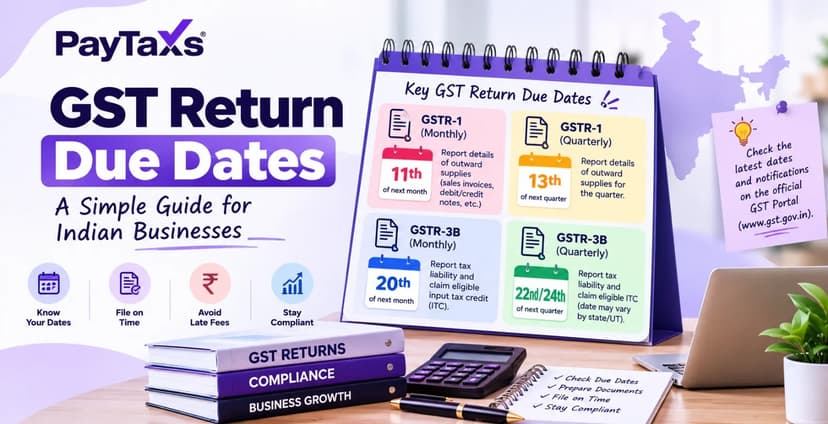
What Is Due Date for GST Return Filing? A Guide for Indian BusinessesWhat Is Due Date for GST Return Filing? A Guide for Indian Businesses
Written by Hatim Dudhiyawala

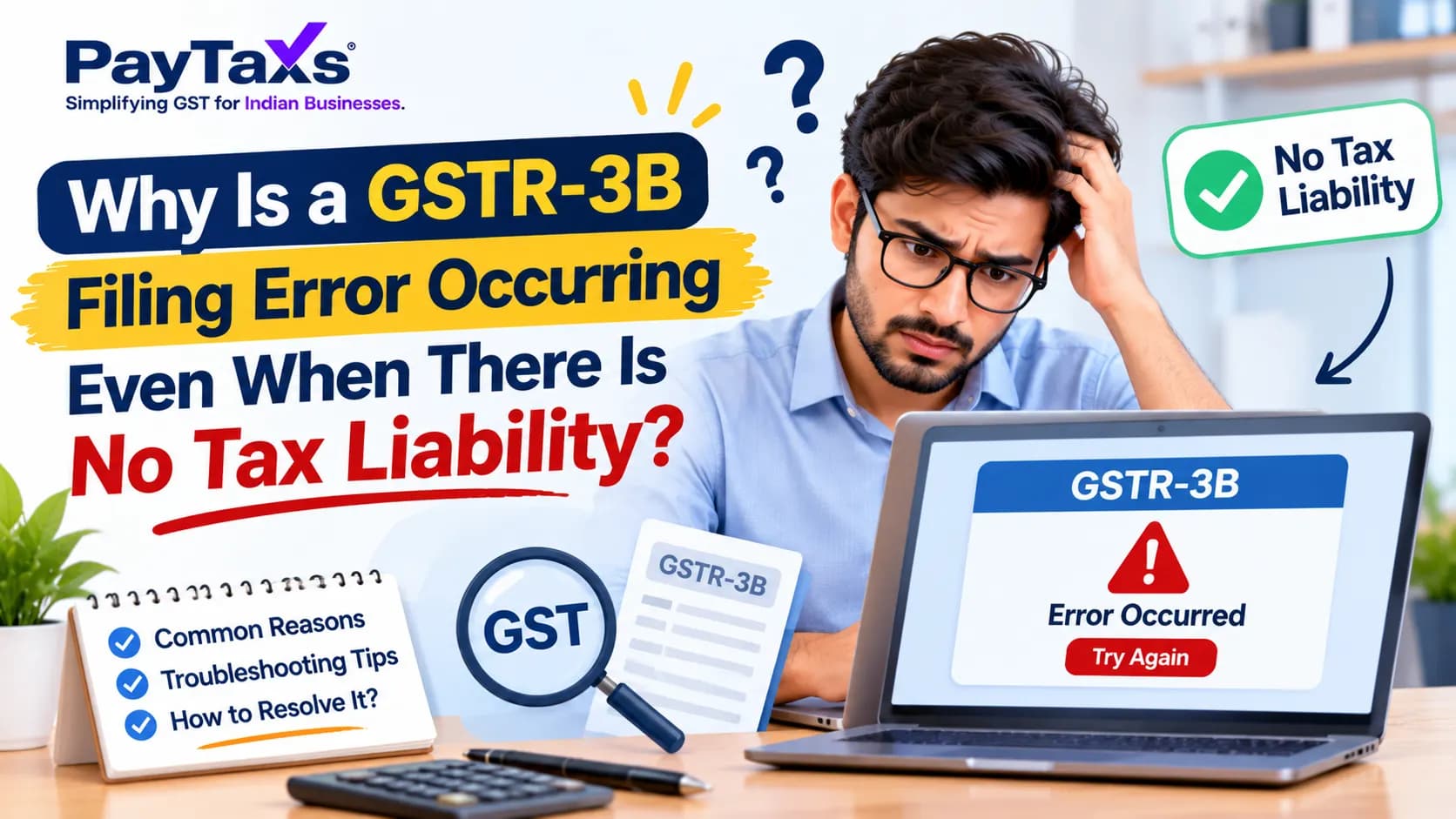
You log in to the GST portal, and there is nothing to report. No sales, no purchases, no tax to pay. You try to file a nil GSTR-3B, but the portal refuses or shows an error that makes no sense. It feels wrong, because a return with zero liability should be the easiest one of all.
It is less strange than it looks. The portal does not only check the numbers on your screen. It checks the whole file behind them: earlier returns, unpaid late fees, saved data, and a few newer validations added in 2025 and 2026. If any one of these fails, a GSTR-3B filing error can appear even when your tax is zero.
The short answer: a nil GSTR-3B usually fails because an earlier GSTR-3B is still pending, interest or late fee from a past period is unpaid, some figures are saved or auto-filled for the period, or the payment page needs one extra step. Sometimes it is only a temporary portal problem. This guide lists each reason in the order it usually happens, shows how to spot it, and tells you what to do next.
|
Sno. |
Reason |
How to spot it |
What to do |
|---|---|---|---|
|
1 |
Earlier GSTR-3B is pending |
The return dashboard shows a previous month as not filed |
File the old return first |
|
2 |
Past interest or late fee is unpaid |
The liability ledger shows a balance |
Deposit cash and pay it |
|
3 |
Saved or draft figures exist |
Prepare Online shows numbers you did not enter |
Clear them and try again |
|
4 |
GSTR-1 data has flowed into GSTR-3B |
Table 3.1 shows sales you did not expect |
Check GSTR-1, and correct through GSTR-1A if needed |
|
5 |
This return is late, so a late fee applies |
The payment page asks for a late fee |
Pay it from the cash ledger |
|
6 |
Tax Liability Breakup tab is not saved |
You cannot move past the payment page |
Open the tab and save it |
|
7 |
Reclaimed ITC or credit ledger problem |
An error about reclaim or a negative balance |
Fix the entry that causes it |
|
8 |
SMS filing limits |
The nil SMS does not go through |
File from the portal |
|
9 |
Temporary portal problem |
The error changes or disappears later |
Retry, clear the cache, raise a ticket |
"Source: GST portal FAQ, tutorial.gst.gov.in"
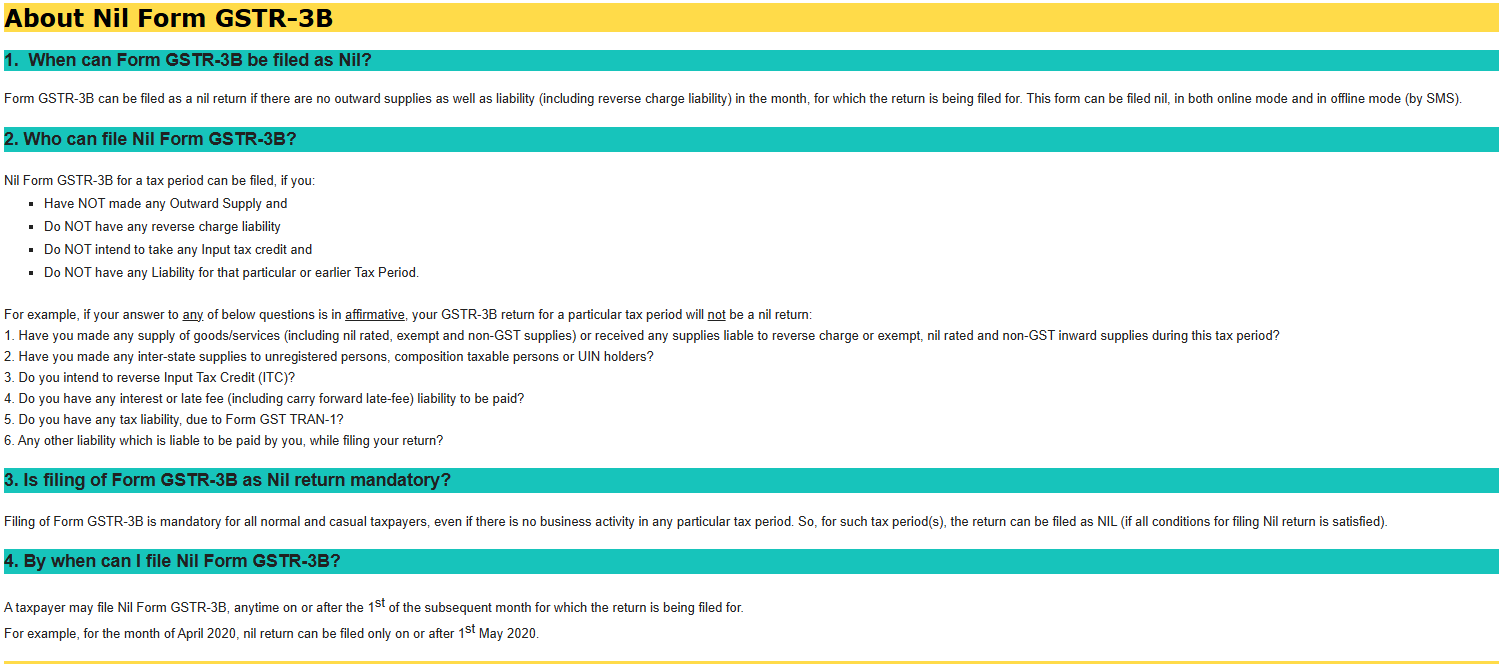
A nil GSTR-3B is a return with no figures to report. The GST portal's own guide says you must file it even when there is no business activity. Skipping it is not an option, and a late nil return still carries a late fee.
The portal treats a return as nil only when all of these are true for that period:
There is no tax liability to pay.
There is no other liability to discharge.
There is no input tax credit (ITC) to claim.
There is no interest or late fee outstanding.
In simple words, zero tax is not enough. The whole account has to be clean. If even one of these conditions fails, you cannot file a nil return and must file a regular GSTR-3B with the right figures. If filing every month is a burden, you can also read how to change from monthly to quarterly GST return filing.
GST returns work in sequence. The portal will not let you file this month's GSTR-3B while a previous period is still open.
How to check: open the return dashboard and look at every month since your last filed return. Any month marked as not filed is the problem.
What to do: file the oldest pending return first, then move forward month by month. If that older return is also nil, the same conditions apply to it.
A past delay can leave behind interest or a late fee, including an amount carried forward. Even if this month is nil, the unpaid amount stops the return from being treated as nil.
How to check: look at the electronic liability register and the interest and late fee entries for earlier periods.
What to do: deposit the amount into your electronic cash ledger and pay it through the return. The late fee is split between CGST and SGST, so you will see two parts.
If you or someone on your team typed figures into GSTR-3B earlier and only saved them, the portal still sees data for that period. It will not accept a nil filing on top of it.
How to check: open Prepare Online for the period and look at every table, including Tables 3.1, 4, and 5.
What to do: clear the figures you do not need, save, and try again. If the old data keeps coming back, wait a while and retry.
Since the July 2025 tax period, the outward supply figures in GSTR-3B Table 3.1 are filled in automatically from GSTR-1, GSTR-1A, and IFF, as per a GSTN advisory dated 7 June 2025. You cannot type over them. If your GSTR-1 for the period carries even one invoice or amendment, GSTR-3B will not be nil.
How to check: open your GSTR-1 for the same period and see what it holds.
What to do: if an entry is wrong, correct it through GSTR-1A before you file GSTR-3B. If the entry is correct, file a regular GSTR-3B with that liability.
If you file after the due date, the portal adds a late fee even though the tax is zero. It has to be paid before the return is accepted. The payment page shows it, and a low cash ledger balance can stop you there.
What to do: deposit enough cash to cover the late fee, then complete the payment step and file.
According to tax websites that reported a GSTN advisory dated 16 March 2026, from the February 2026 tax period, the payment page of GSTR-3B has a Tax Liability Breakup, As Applicable tab. You open it and click Save before you can file. Many taxpayers reported being stuck because they skipped this step. We have not been able to confirm whether this tab appears for a pure nil return. If your return reaches the payment page and will not move, open the tab and save it.
If your return has any ITC entries, a few checks can block it. Tax websites reported a GSTN advisory dated 29 December 2025 saying GSTR-3B will not be filed if the ITC reclaimed in Table 4D(1) is more than the closing balance of the reclaim ledger plus the reversal shown in Table 4B(2). One source also lists a negative credit ledger balance and unpaid reverse charge liability as blocks. These apply when you have ITC activity. A true nil return has none, so check whether an old entry is hiding in the period.
"Source: GST portal FAQ, tutorial.gst.gov.in"
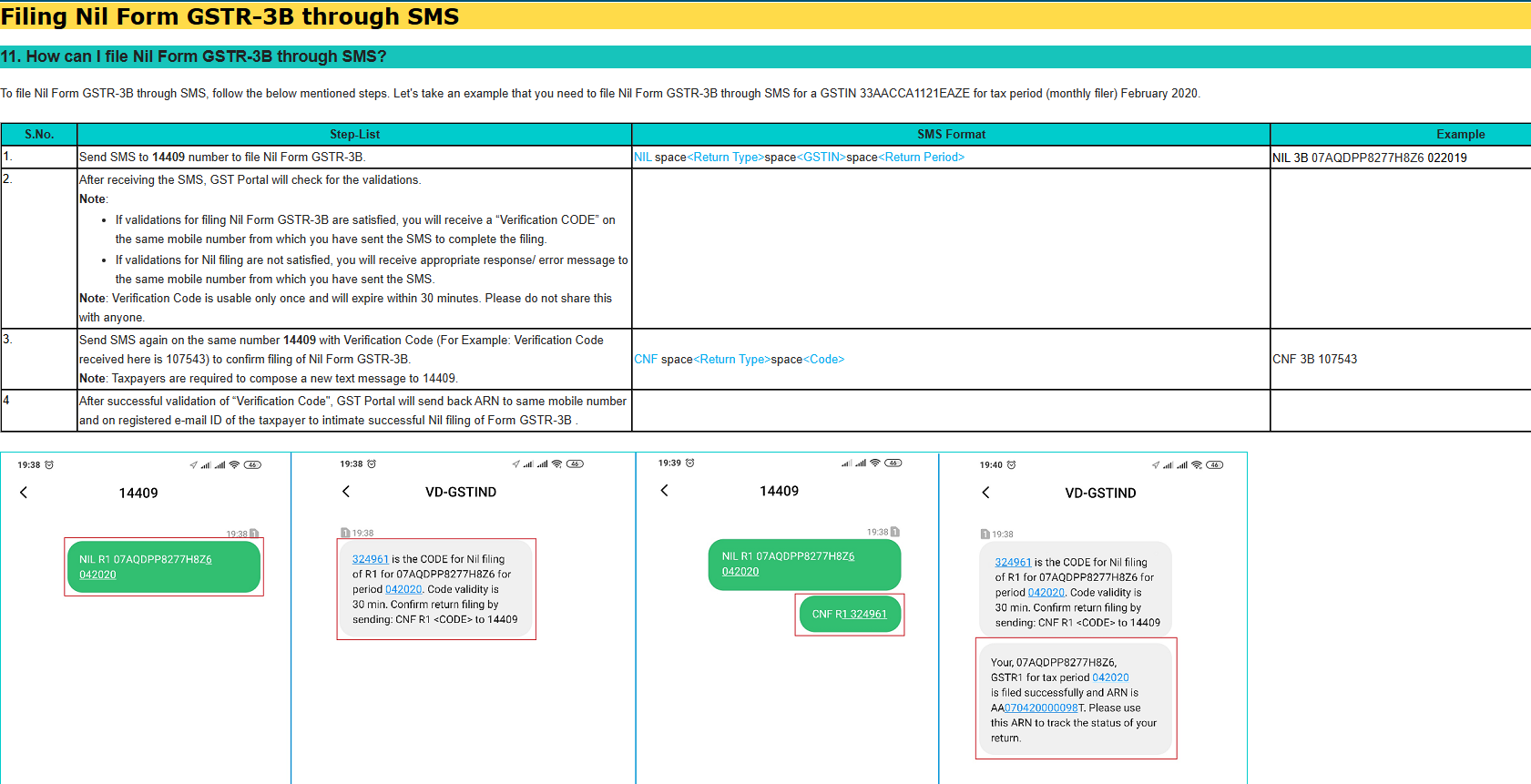
You can file a nil GSTR-3B by SMS by sending the prescribed message to 14409 and confirming it with the code you receive. It works only when the conditions above are met. It will not work if:
Saved data exists on the portal for that period.
An earlier return or a past interest or late fee is pending.
More than one authorised signatory uses the same mobile number.
If the SMS keeps failing, file from the portal instead. Some guidance also suggests trying the SMS again after 24 hours.
Sometimes the portal is the problem. Errors that change from one attempt to the next, or disappear after some hours, point that way. In March 2026, many taxpayers reported a glitch of this kind, and GSTN shared a workaround.
What to do: try a different browser, clear the cache, and retry at a quieter time. If it still fails, raise a ticket with the GST helpdesk and attach a screenshot of the error. Keep the ticket number, because it supports you if the filing goes past the due date.
Rahul runs a small consulting business. In March, he had no sales and no purchases. He tries to file a nil GSTR-3B, and the portal rejects it. He checks the dashboard and finds that his February GSTR-3B was never filed. He files February first, 15 days late. The late fee is ₹20 a day, so ₹300 in all (₹150 under CGST and ₹150 under SGST). He deposits that amount, pays it, and files in February. After that, his March nil return goes through. The numbers here are only an illustration. The rule is the point: the pending return was the real reason.
|
Item |
What sources say |
|
Rate |
₹20 per day (₹10 CGST and ₹10 SGST) |
|
Interest |
Not charged on a nil return, because interest applies only when tax is payable |
|
Upper limit |
Sources differ: some say ₹500 per return, one says ₹10,000. Please check the notification before you rely on a number |
The GST Council has recommended late fee relief for taxpayers with turnover up to ₹5 crore, if the return is filed by the end of the month in which it was due. This is a recommendation and not law yet. We cover it in our post on the 57th GST Council meeting.
Open the return dashboard and confirm that every earlier GSTR-3B has been filed.
Open your GSTR-1 for the same period and see whether it contains any data.
Check the cash ledger and liability register for pending interest or late fees.
Open Prepare Online for GSTR-3B and clear any saved figures.
If the return reaches the payment page, open the Tax Liability Breakup tab and save it.
Try another browser or clear the cache, and retry later.
If it still fails, raise a ticket with a screenshot.
Also read: GST TDS applicable rules and rate of TDS on GST amount
Filing nil by mistake: A filed GSTR-3B cannot be revised. If you filed nil and later find real sales, report them in the next GSTR-1 and pay the tax with interest in the next GSTR-3B.
Assuming nil means no late fee: A late nil return still attracts ₹20 a day.
Forgetting GSTR-1: Even a stray invoice or amendment there makes your GSTR-3B non-nil.
Leaving old returns pending: Reports say the portal can stop filing for periods more than three years old. Please confirm this on the portal.
Ignoring the saved draft: Old saved figures are a common hidden cause.
A regular GST reconciliation helps you catch stray entries before the due date.
We believe it is best to clearly state what we have not been able to verify.
Some websites claim that by 2026, the Input Tax Credit (ITC) figures in Table 4 of GSTR-3B will be locked against the data in GSTR-2B. Upon reviewing the official advisories, we found no such notification. Please do not consider this confirmed at this stage.
What will be the maximum limit for late fees applicable to 'nil returns'?
Does the 'Tax Liability Breakup' tab appear in the case of a completely 'nil return'?
What will be the exact text of the error messages that may appear in various scenarios? The portal frequently updates the wording of its messages.
|
Term |
What it means |
|
GSTR-3B |
The summary return where you declare and pay tax |
|
Nil return |
A return with no sales, no ITC, no tax, and no other dues |
|
ITC |
Input tax credit: credit for GST paid on purchases |
|
GSTR-1 |
The return of your sales |
|
GSTR-1A |
A form to correct GSTR-1 details before you file GSTR-3B |
|
Cash ledger |
The account where you deposit cash to pay GST, interest, and late fee |
|
Liability register |
The record of tax, interest, and late fee you owe |
|
CGST and SGST |
The two parts of GST on sales within a state, shared by the Centre and the state |
|
Late fee |
A daily charge for filing after the due date |
|
ARN |
The acknowledgement number the portal gives after a successful filing |
If your return is stuck, or you are not sure which pending item is the cause, share your requirement with Paytaxs through our GST services, and our team will get in touch to understand your situation.
Nil GSTR-3B SMS se (GST portal FAQ)
Note: This guide is for information purposes only. The views expressed in this guide are personal and do not constitute the views of Paytaxs. Paytaxs or the author will not be responsible for any direct or indirect loss incurred by the reader for taking any decision based on the information or the contents. It is advisable to consult either a CA, CS, CPA or a professional tax expert from the Paytaxs team, as they are familiar with the current regulations and help you make accurate decisions and maintain accuracy throughout the whole process.
Hatim Dudhiyawala is a Certified Public Accountant (CPA) with SaveTaxs and specializes in Indian and NRI taxation. He advises individuals, NRIs, and businesses on income tax filing, capital gains taxation, DTAA benefits, fund repatriation, and tax compliance. With experience in cross-border tax matters, Hatim helps taxpayers understand complex regulations and make informed decisions. Through his articles, he shares practical insights to help readers stay compliant and manage their tax obligations with confidence. See Full Bio
Want to read more? Explore Blogs