

GST Return Filing
Why Is a GSTR-3B Filing Error Occurring Even When There Is No Tax Liability?Why Is a GSTR-3B Filing Error Occurring Even When There Is No Tax Liability?
Written by Hatim Dudhiyawala


A GSTR-9 ITC mismatch happens when the input tax credit (ITC) you claimed during the year does not match the ITC shown in your GSTR-2B. You can fix it by comparing GSTR-2B with your GSTR-3B month by month, finding the reason for each difference, correcting what is wrong, and then reporting the rest properly in Table 8 of GSTR-9. Do this before you file, because GSTR-9 cannot be revised after filing. This guide explains the mismatch in simple words, with examples, so you can fix it step by step.
File all GSTR-1 and GSTR-3B returns for the year. Without this, the GSTR-9 tile does not open.
Download GSTR-2B for every month and total the ITC.
Compare it with the ITC claimed in your GSTR-3B for the same months.
Find the reason for each difference: timing, supplier delay, ineligible credit or a data error.
Correct what you can before the cut-off: claim missed ITC in time, reverse excess ITC, and ask suppliers to fix their filings.
Report the balance correctly in Tables 6, 7, 8, 12 and 13 of GSTR-9, and keep a working file as proof.
GSTR-9 and GSTR-9C for FY 2025-26 have been enabled on the GST portal from 8 October 2026 (GSTN advisory dated 13 October 2026).
The due date is 31 December 2026.
The GSTR-9 tile appears only after all GSTR-1 and GSTR-3B for FY 2025-26 are filed.
Some taxpayers reported (around 10 October 2026) that the portal still asked for pending returns even though all were filed. This has not been confirmed by GSTN. If it happens to you, re-check your return status and raise a ticket on the GSTN helpdesk.
The ITC cut-off for FY 2025-26 is 30 November 2026, or the date you file GSTR-9, whichever is earlier.
Think of two lists:
List 1 (GSTR-2B): The ITC the government system says you are allowed to take, based on what your suppliers reported.
List 2 (GSTR-3B): ITC you actually took in your monthly returns.
GSTR-9 compares these two lists for the whole year. If the totals do not match, you have an ITC mismatch.
A mismatch does not always mean you did something wrong. Sometimes it is just a timing difference. But a mismatch you cannot explain can lead to questions, so it is best to understand and fix it before filing. Regular GST reconciliation throughout the year makes this much easier.
The mismatch appears in Table 8 of GSTR-9. Here is what each part means.
|
Part |
What it means (simple words) |
|
Table 8A |
ITC as per GSTR-2B. Auto-filled by the portal. |
|
Table 8B |
ITC you claimed, auto-filled from Table 6B. |
|
Table 8C |
ITC on this year’s inward supplies that you claimed in the next year (up to the specified period). |
|
Table 8D |
The difference: 8A minus (8B + 8C). |
|
Table 8E |
ITC that was available but not claimed. This usually lapses after the section 16(4) cut-off. |
|
Table 8F |
ITC that was available but is ineligible. |
|
Table 8K |
Total ITC that will lapse in the current year (8E + 8F, plus the import IGST part, 8J). |
Table 8 compares ITC on regular inward supplies. Imports and reverse charge supplies are handled separately. If you pay tax under reverse charge, read our guide on self-invoice under GST and RCM e-invoicing.
8D is zero or very small: your claim matches the system.
8D is positive: The system shows ITC that you did not claim. You must explain it in Table 8E (eligible ITC not availed) or Table 8F (ineligible ITC). Ideally, 8E plus 8F equals 8D.
8D is negative: You claimed more ITC than GSTR-2B shows. The official instructions say 8D will show a negative value in this case. Find the reason first, because it means your claim is higher than the system supports.
Please check how the portal shows 8D for FY 2025-26 before filing.
|
Item |
Amount |
|
8A: ITC as per GSTR-2B |
₹10,00,000 |
|
8B: ITC you claimed |
₹9,60,000 |
|
8C: Claimed in next year |
₹25,000 |
|
8D = 10,00,000 − (9,60,000 + 25,000) |
₹15,000 |
|
Item |
Amount |
|
8A: ITC as per GSTR-2B |
₹8,00,000 |
|
8B: ITC you claimed |
₹8,30,000 |
|
8C: Claimed in next year |
₹0 |
|
8D = 8,00,000 − (8,30,000 + 0) |
−₹30,000 |
You claimed ₹30,000 more than GSTR-2B supports. You need to find out why.
This is the most common cause of a negative 8D. It happens when a supplier has not filed their return or has not uploaded your invoice, but you claimed the ITC anyway. Before you rely on such credit, check whether the supplier’s GST number is active.
An invoice may belong to one year but appear in GSTR-2B, or be claimed by you, in another year. Since the form follows the document date, such invoices can create a gap between years.
If a supplier uploads an invoice late, or amends the date, the invoice can move into a different year.
Credit notes received from suppliers reduce your ITC. If they belong to one year but show up in another, the totals will not match.
Some ITC is not allowed, or must be reversed. If it is still counted in one place but not the other, a difference appears. Recent Council recommendations may relax some blocked credits, but only after they are notified. See the 57th GST Council meeting recommendations.
If you reversed ITC and later claimed it again, it must be reported in the right table. Wrong reporting creates a gap.
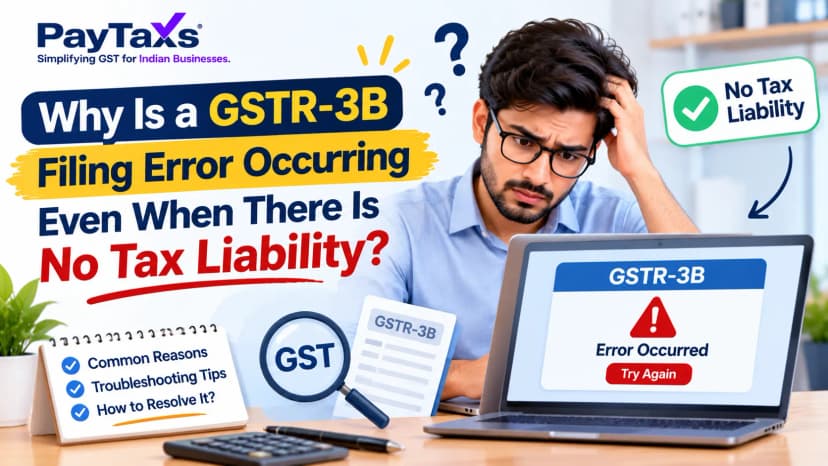
A wrong figure in your books or in a GSTR-3B can create a mismatch that has nothing to do with your suppliers. If your return shows an error, see our guide on a GSTR-3B filing error.
The annual return also contains HSN-wise summaries. A wrong HSN code or tax rate in your sales data can create separate mismatches. Learn how to find the correct HSN code of any product.
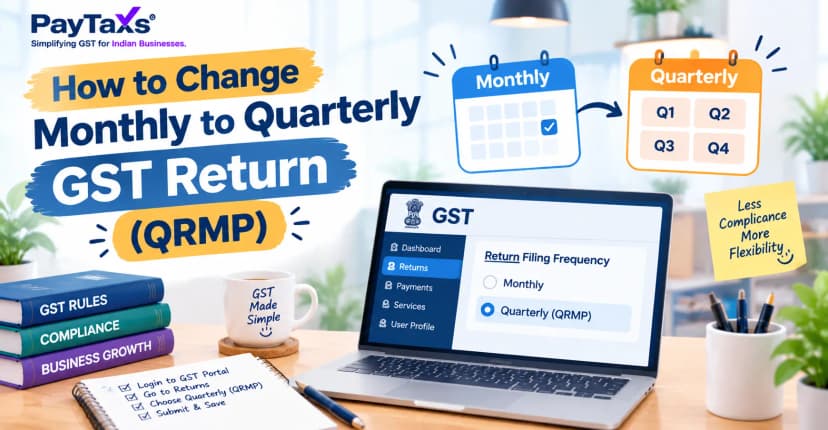
Make sure every GSTR-1 and GSTR-3B for the year is filed. The GSTR-9 tile opens only after this. If you file quarterly, also see how to change from monthly to quarterly GST return, and learn how to file a GST return online if you are new to the portal.
Download GSTR-2B for each month and add up the ITC. Keep it in an Excel sheet.
|
Month |
ITC as per GSTR-2B |
ITC claimed in GSTR-3B |
Difference |
|
April |
|||
|
May |
|||
|
... |
|||
|
March |
|||
|
Total |
Any month with a large gap is where you should look first.
Match the gap with the causes listed above. Tick off which ones are timing, which are supplier issues, and which are your own errors.
Supplier did not file or upload: ask the supplier to file or correct. Do not rely on the credit until it appears.
You claimed excess ITC: reverse it, and pay interest if it applies. Taking action early costs less than answering a notice later.
You missed eligible ITC: claim it before the cut-off date (see below).
Wrong reporting in earlier returns: note it, and report it correctly in GSTR-9.
Use the right tables so that Table 8D becomes small and explainable:
Table 6: ITC availed during the year.
Table 7: ITC reversed (including temporary reversals).
Table 8: the comparison with GSTR-2B, with 8E and 8F explaining any positive difference.
Tables 12 and 13: ITC belonging to this year but reversed or claimed in the next year.
Save your Excel comparison, GSTR-2B downloads, and supplier emails. If a notice comes, this file is your proof.
For FY 2025-26, ITC can be claimed only up to 30 November 2026, or the date you file GSTR-9, whichever is earlier.
Example (illustration): Suppose a GSTR-3B for October is filed on 1 December. The cut-off has passed, so ITC of the previous year cannot be claimed in it.
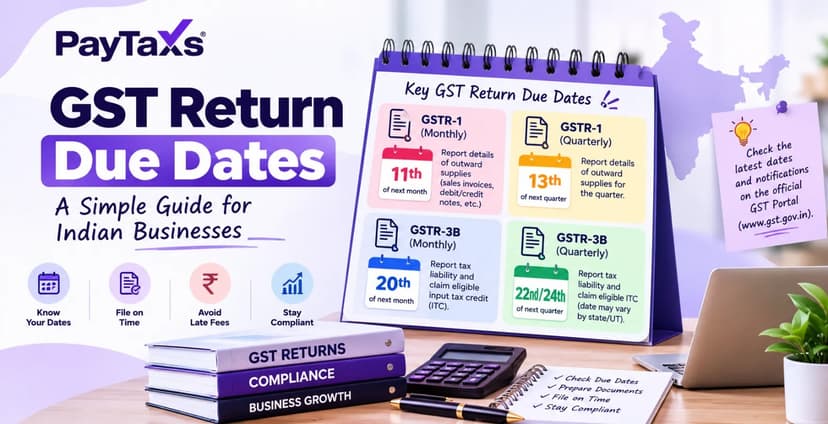
So do not file GSTR-9 early if you still need to claim ITC. First finish your ITC review, claim whatever is eligible, and then file. The GSTR-9 due date is 31 December 2026. For all dates, see our guide on GST return filing due dates.
Time limit: an annual return cannot be filed after three years from its due date. For example, the FY 2022-23 annual return (due 31 December 2023) is expected to be barred after 31 December 2026. Check the exact cut-off on the portal.
GSTR-9 (annual return): applies to regular taxpayers. Under Notification No. 15/2025-Central Tax (17 September 2025), taxpayers with aggregate turnover up to ₹2 crore are exempt from FY 2024-25 onwards.
GSTR-9C (reconciliation statement): applies when turnover is above ₹5 crore. Please confirm your applicability on the GST portal or with your professional GST expert.
|
Aggregate turnover |
Late fee per day |
Maximum |
|
Up to ₹5 crore |
₹50 (₹25 CGST + ₹25 SGST) |
0.04% of turnover in the State/UT |
|
₹5 crore to ₹20 crore |
₹100 (₹50 + ₹50) |
0.04% of turnover in the State/UT |
|
Above ₹20 crore |
₹200 (₹100 + ₹100) |
0.50% of turnover (0.25% each) |
GSTR-9C has its own late fee calculation. Please confirm the current notified rates before paying.
If ITC was wrongly claimed and also used, interest applies under section 50(3), read with Rule 88B(3). It is calculated from the date the credit was used until it is reversed. The law allows a rate of up to 24%, but the rate currently notified may be different, so confirm it with your professional before paying. If the excess ITC was not used, the position can be different.
You may receive notices or intimations asking you to explain or reverse the excess ITC.
You may have to pay tax with interest later.
GSTR-9 cannot be revised after filing, so any wrong figure stays until you correct it through next year’s returns.
Forgetting the 30 November cut-off.
Filing GSTR-9 before checking Table 8.
Mixing up Table 8C and Tables 12 and 13.
Claiming ITC based only on books, not on GSTR-2B.
Not keeping proof of how you explained each difference.
Ignoring a negative 8D or leaving a positive 8D unexplained.
A GSTR-9 ITC mismatch is easier to fix before you file than after. Compare GSTR-2B with GSTR-3B, find the reason for each gap, claim eligible ITC before 30 November 2026, reverse anything excess, and report the rest correctly in Table 8. Need help with your annual return? Paytaxs GST Services can help with reconciliation, ITC review and GSTR-9 filing.
Note: This guide is for information purposes only. The views expressed in this guide are personal and do not constitute the views of Paytaxs. Paytaxs or the author will not be responsible for any direct or indirect loss incurred by the reader for taking any decision based on the information or the contents. It is advisable to consult either a CA, CS, CPA or a professional tax expert from the Paytaxs team, as they are familiar with the current regulations and help you make accurate decisions and maintain accuracy throughout the whole process.
Hatim Dudhiyawala is a Certified Public Accountant (CPA) with Paytaxs and specializes in Indian and NRI taxation, including GST. He advises individuals, NRIs, and businesses on income tax filing, capital gains taxation, DTAA benefits, fund repatriation, GST compliance, and tax compliance. With experience in cross-border tax matters, Hatim helps taxpayers understand complex regulations and make informed decisions. Through his articles on GST updates, notifications, and compliance, he shares practical insights to help readers stay compliant and manage their tax obligations with confidence. See Full Bio
Want to read more? Explore Blogs